

دوره آموزش CCNA 200-301

🎉 به مناسبت روز مهندس: تخفیف 20% روی این محصول (تا سقف 1,000,000 تومان) در نظر گرفته شده و در سبد خرید اعمال میشود.
نام دورهمدت دورهروزساعتنوع دورهتاریخ پیش بینیمبلغعملیات
CCNA 200-30175پنج شنبه17:00 – 20:30حضوری1404/12/21 ۷,۸۰۰,۰۰۰ تومان ۶,۸۰۰,۰۰۰ تومان توضیحات ثبت نام
CCNA 200-30175پنج شنبه17:00 – 20:30آنلاین1404/12/21 ۶,۴۰۰,۰۰۰ تومان ۵,۴۰۰,۰۰۰ تومان توضیحات ثبت نام
SKU N/A دسته بندی ها ,

دوره آموزش CCNA 200-301 در مجتمع فنی تهران ونک
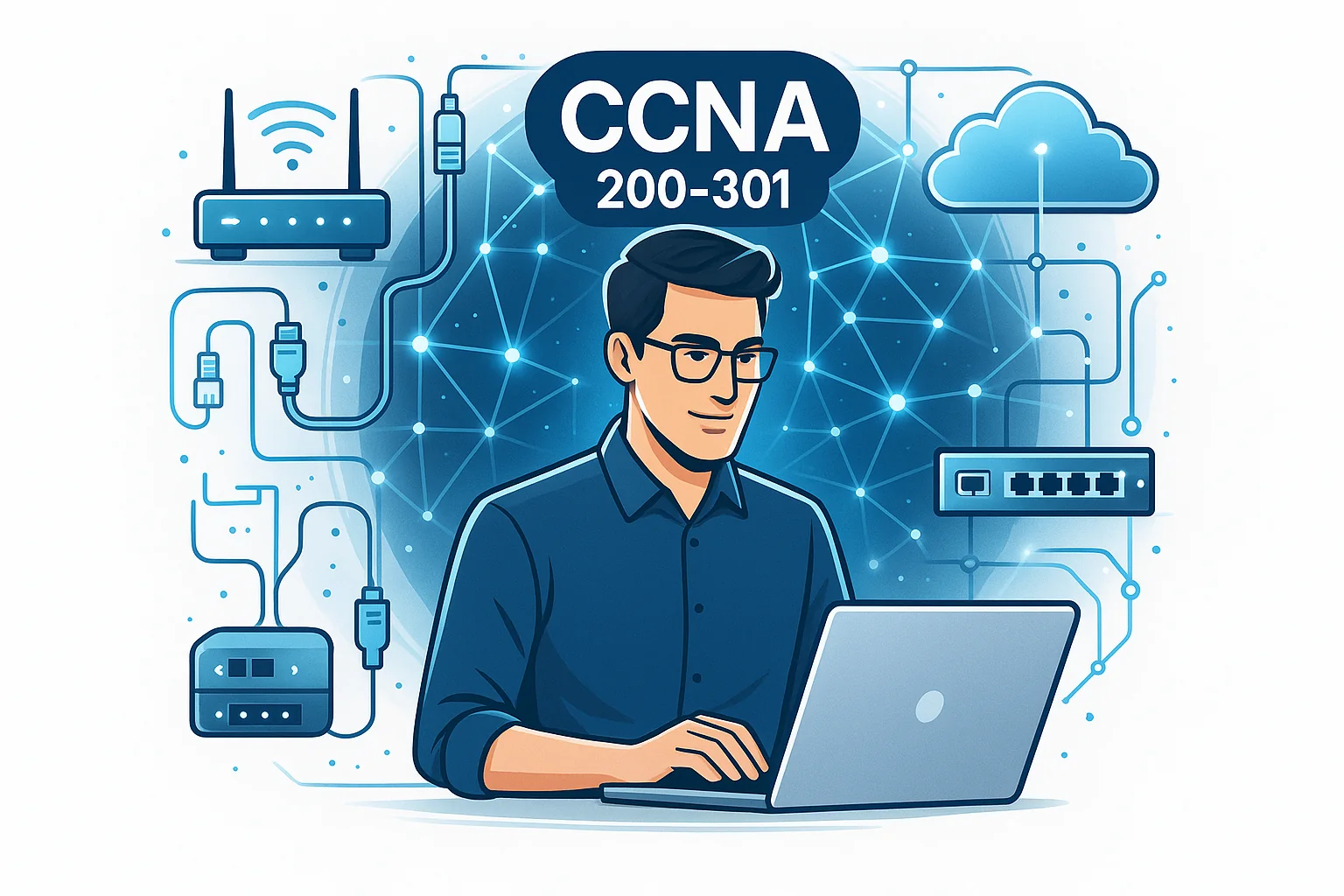
 شروع مسیر حرفه‌ای در شبکه با دوره آموزش CCNA 200-301

در دنیایی که ارتباطات دیجیتال و زیرساخت‌های شبکه ستون فقرات هر سازمان محسوب می‌شوند، تسلط بر مفاهیم و تکنولوژی‌های شبکه یک مهارت حیاتی است. دوره آموزش CCNA 200-301 در مجتمع فنی تهران نمایندگی ونک فرصتی بی‌نظیر برای یادگیری عملی و مفهومی شبکه‌های کامپیوتری از پایه تا سطح حرفه‌ای است. این دوره به گونه‌ای طراحی شده تا شما را برای ورود به بازار کار شبکه‌های کامپیوتری و کسب مدارک بین‌المللی سیسکو آماده کند.

آدرس مجتمع فنی تهران نمایندگی ونک: خیابان ولیعصر، پایین‌تر از میدان ونک، خیابان 16 گاندی، پلاک 16
تلفن تماس: 02188889796

اهمیت دوره آموزش CCNA 200-301 در مجتمع فنی تهران نمایندگی ونک

مدرک CCNA (Cisco Certified Network Associate) یکی از معتبرترین مدارک در حوزه شبکه‌های کامپیوتری است که توسط شرکت سیسکو ارائه می‌شود. این مدرک نه‌تنها نشان‌دهنده تسلط شما بر اصول شبکه است، بلکه در مسیر کسب مدارک بالاتر مانند CCNP (Professional) و CCIE (Expert) نیز پیش‌نیاز محسوب می‌شود. اهمیت شرکت در این دوره در مجتمع فنی تهران ونک در سه بعد مشخص می‌شود:

  1. استاندارد آموزشی بین‌المللی: محتوای دوره کاملاً مطابق با جدیدترین نسخه آزمون 200-301 شرکت سیسکو تهیه شده است. این استاندارد جهانی تضمین می‌کند که دانش کسب شده شما در هر کجای دنیا قابل اتکا باشد.
  2. پشتیبانی علمی و عملی: فراگیران علاوه بر آموزش‌های تئوری، کار عملی روی تجهیزات واقعی شبکه (مانند روترها و سوئیچ‌های سیسکو) و لابراتوارهای مجازی پیشرفته را تجربه می‌کنند که عمق یادگیری را به شدت افزایش می‌دهد.
  3. افزایش فرصت‌های شغلی: با گذراندن این دوره و اخذ مدرک، امکان کار در شرکت‌های IT، ISPها، دیتاسنترها و سازمان‌های بزرگ به عنوان کارشناس شبکه برای شما فراهم می‌شود.

پیش‌نیازهای دوره آموزش CCNA 200-301 در مجتمع فنی تهران

برای شرکت در دوره CCNA 200-301، نیاز به مهارت خاصی در آغاز نیست؛ زیرا دوره از مفاهیم بنیادی شروع می‌شود. با این حال، توصیه می‌شود شرکت‌کنندگان:

  • آشنایی مقدماتی با مفاهیم کامپیوتر، سخت‌افزار و ساختار اینترنت داشته باشند.
  • درک کلی از آدرس‌دهی IP و مدل لایه‌ای OSI (Open Systems Interconnection) داشته باشند، هرچند این مفاهیم نیز به تفصیل تدریس خواهند شد.
  • علاقه‌مند به حوزه IT، زیرساخت شبکه، عیب‌یابی (Troubleshooting) و امنیت اطلاعات باشند.

مجتمع فنی تهران ونک با تدریس مفاهیم از پایه، این دوره را برای همه سطح‌ها مناسب کرده است، از مبتدی تا کسانی که قصد ورود جدی به بازار کار شبکه دارند.

مخاطبان کلاس دوره آموزش CCNA 200-301 دز مجتمع فنی تهران

این دوره برای طیف گسترده‌ای از افراد طراحی شده است که به‌دنبال ارتقاء دانش فنی و مسیر شغلی خود هستند:

  • دانشجویان رشته‌های: کامپیوتر، IT، مهندسی برق و مخابرات که نیاز به دانش عملی شبکه دارند.
  • کارکنان واحدهای فناوری اطلاعات سازمان‌ها: کسانی که مسئولیت نگهداری و توسعه زیرساخت‌های شبکه سازمانی خود را بر عهده دارند.
  • علاقه‌مندان به مهاجرت کاری یا تحصیل: افرادی که مدارک بین‌المللی معتبر برای ورود به بازارهای کاری پیشرفته نیاز دارند.
  • متخصصان امنیت و سرور: افرادی که قصد گسترش دانش خود به حوزه زیرساخت شبکه را دارند تا دید جامع‌تری نسبت به امنیت داشته باشند.
  • افرادی که هدفشان: اخذ گواهینامه بین‌المللی Cisco CCNA 200-301 است.

مهارت‌هایی که در دوره آموزش CCNA 200-301 خواهید آموخت

در پایان دوره آموزش CCNA 200-301 در مجتمع فنی تهران ونک، فراگیران توانایی‌های کلیدی زیر را کسب خواهند کرد که آن‌ها را برای مشاغل سطح Associate آماده می‌سازد:

  1. طراحی و پیاده‌سازی: توانایی طراحی و پیاده‌سازی شبکه‌های محلی (LAN) و شبکه‌های گسترده (WAN) در مقیاس کوچک و متوسط.
  2. پیکربندی تجهیزات سیسکو: تسلط بر پیکربندی اولیه، مدیریت و نگهداری دستگاه‌های Router و Switch شرکت سیسکو با استفاده از رابط خط فرمان (CLI).
  3. مدیریت آدرس‌دهی: درک کامل مفاهیم IP addressing، Subnetting (تقسیم زیرشبکه) و Supernetting.
  4. مفاهیم پیشرفته IP: آشنایی با پروتکل‌های مسیریابی داخلی (IGP) مانند OSPFv2.
  5. امنیت شبکه پایه: پیاده‌سازی امنیت پورت‌ها، مدیریت دسترسی‌ها و درک مکانیزم‌های اولیه حفاظت از شبکه.
  6. Access Control Lists (ACLs): توانایی نوشتن و پیاده‌سازی لیست‌های کنترل دسترسی برای فیلتر کردن ترافیک.
  7. شبکه‌های بی‌سیم (Wireless): درک معماری شبکه‌های بی‌سیم و مفاهیم امنیتی مربوط به آن‌ها.
  8. تست و رفع اشکالات شبکه: استفاده از ابزارهای استاندارد برای تست اتصالات، پکت‌ها و رفع رایج‌ترین مشکلات شبکه.
  9. معماری و اتوماسیون: درک مفاهیم جدید شبکه شامل معماری شبکه در سطح سازمانی، SD-Access و اتوماسیون شبکه (NetDevOps).

با این مهارت‌ها شما آماده شروع کار به عنوان Network Administrator یا Network Technician خواهید بود.

سرفصل‌های دوره آموزش CCNA 200-301 در مجتمع فنی تهران

سرفصل‌های دوره آموزش CCNA 200-301 در مجتمع فنی تهران 

سرفصل‌های این دوره کاملاً بر اساس دامنه آزمون رسمی Cisco (Exam Topics) و مطابق با آخرین تغییرات استاندارد جهانی شامل موارد زیر است:

شمارهبخش اصلی آموزشجزئیات کلیدی1اصول شبکه و مدل‌های ارتباطیمدل OSI، مدل TCP/IP، کابل‌کشی، تفاوت‌های لایه‌ها، سخت‌افزارهای شبکه (Hub, Switch, Router)2مفاهیم IP و آدرس‌دهیIPv4 و IPv6، آدرس‌دهی، Subnetting (Classful & Classless)، VLSM و CIDR3پیکربندی اولیه دستگاه‌های سیسکونصب سیستم عامل IOS، تنظیمات اولیه، مدیریت رمز عبور، استفاده از کنسول و Telnet/SSH4مسیریابی (Routing) پایهمفاهیم مسیریابی استاتیک، پروتکل‌های مسیریابی پویا (Dynamic Routing)، آشنایی با OSPFv25سوئیچینگ (Switching) و VLANهامفاهیم لایه 2، پروتکل STP (Spanning Tree Protocol)، پیاده‌سازی VLAN و Trunking (802.1Q)6امنیت شبکه و کنترل دسترسیPort Security، مفاهیم DHCP/DNS، معرفی پروتکل‌های امنیتی لایه 2، استفاده از Hashing7Access Control Lists (ACLs)Standard و Extended ACLs، نحوه اعمال و ترتیب پردازش ACLها8شبکه‌های WAN و اتصالاتمفاهیم MPLS، VPN‌های Site-to-Site، اتصالات لایه 39مدیریت شبکه و نظارتSNMP، Syslog، NTP، اهمیت مانیتورینگ، تلنت و SSH برای دسترسی از راه دور10مفاهیم جدید شبکهمقدمه‌ای بر شبکه‌های Wireless، معماری SD-Access، مفاهیم Cloud و اتوماسیون (API، JSON)11آماده‌سازی و مرورشبیه‌سازی کامل آزمون، رفع اشکال نهایی و جمع‌بندی مباحث برای آزمون بین‌المللی CCNA 200-301

تمامی این مباحث همراه با مثال‌های عملی و تمرین Lab در محیط شبیه‌ساز و تجهیزات واقعی برگزار می‌شود.

بازار کار دوره آموزش CCNA 200-301

بازار کار متخصصان شبکه در ایران و جهان بسیار پویا و پر درآمد است. با داشتن مدرک CCNA شما می‌توانید در مشاغل زیر فعالیت کنید:

  • مدیر شبکه (Network Administrator): در شرکت‌های خصوصی و دولتی، مسئول پایداری شبکه و سرویس‌ها.
  • مهندس پشتیبانی فنی (Technical Support Engineer): کار در شرکت‌های ارائه‌دهنده خدمات اینترنتی (ISP) یا شرکت‌های ارائه دهنده تجهیزات شبکه.
  • کارشناس امنیت شبکه: تحلیل حملات سایبری و پیاده‌سازی سیاست‌های امنیتی اولیه بر روی فایروال‌ها و روترها.
  • مشاور طراحی زیرساخت شبکه: کمک به کسب‌وکارها برای انتخاب و پیاده‌سازی تجهیزات شبکه متناسب با نیازشان.
  • تکنسین شبکه (Network Technician): نصب، راه‌اندازی اولیه و عیب‌یابی سخت‌افزاری.
  • مدرس یا مربی شبکه‌های کامپیوتری: پس از کسب تجربه کافی.

سطح حقوق این افراد در ایران بسیار مناسب است و برای مهاجرت کاری به کشورهای اروپایی، کانادا و حوزه خلیج فارس نیز این مدرک از پیش‌نیازهای اصلی محسوب می‌شود.

مزایای شرکت در دوره آموزش CCNA 200-301 در مجتمع فنی تهران ونک

انتخاب مجتمع فنی تهران ونک به عنوان مرجع آموزشی شما برای CCNA مزایای رقابتی مهمی دارد:

  • ارائه مدرک معتبر از مجتمع فنی تهران: این مدرک نه تنها نشان‌دهنده دانش شماست، بلکه اعتبار آکادمیک بالایی در رزومه شغلی شما ایجاد می‌کند.
  • اساتید باتجربه و دارای گواهینامه بین‌المللی Cisco: بهره‌گیری از مدرسینی که سال‌ها سابقه کار عملی و تدریس تخصصی دارند.
  • امکانات آموزشی مجهز: دسترسی به لابراتوارهای مجهز شامل تجهیزات واقعی (مانند سری 2960 و 1900/2900) و شبیه‌سازهای پیشرفته مانند GNS3 برای تمرینات پیچیده.
  • موقعیت دسترسی عالی در مرکز شهر تهران: دسترسی آسان از طریق وسایل حمل و نقل عمومی به آدرس: خیابان ولیعصر، پایین‌تر از میدان ونک، خیابان 16 گاندی، پلاک 16، تلفن 02188889796.
  • پشتیبانی و مشاوره آموزشی: مشاوره تخصصی رایگان برای انتخاب مسیر شغلی و راهنمایی جامع جهت آمادگی شرکت در آزمون بین‌المللی CCNA.
  • کارگاه‌های تخصصی: امکان شرکت در سمینارهای تکمیلی شبکه و امنیت که به‌طور دوره‌ای در مجتمع برگزار می‌شود.

سوالات متداول درباره دوره آموزش CCNA 200-301

آیا برای شرکت در دوره CCNA نیاز به پیش‌زمینه خاصی دارم؟

خیر، این دوره از سطح پایه (مفاهیم لایه 1 و 2) آغاز می‌شود و برای تمام علاقه‌مندان، حتی افرادی که اولین بار وارد حوزه IT می‌شوند، قابل فهم است.

مدت زمان دوره چقدر است؟

معمولاً دوره در حدود 60 تا 80 ساعت آموزشی برگزار می‌شود که شامل پارت‌های تئوری فشرده و بخش‌های عملی (Lab) است.

آیا پس از پایان دوره، مدرک رسمی دریافت می‌کنیم؟

بله، پس از قبولی در آزمون‌های داخلی دوره، مدرک رسمی و معتبر از مجتمع فنی تهران نمایندگی ونک صادر خواهد شد.

آیا این دوره برای آزمون بین‌المللی CCNA آماده‌سازی می‌کند؟

بله، تمام تمرکز محتوایی بر روی پوشش دادن سرفصل‌های رسمی آزمون Cisco 200-301 است تا دانشجو با آمادگی کامل برای امتحان جهانی اقدام کند.

چه ابزارهایی در دوره استفاده می‌شوند؟

علاوه بر Router و Switch واقعی شرکت Cisco، از شبیه‌سازهای استاندارد مانند Packet Tracer و GNS3/EVE-NG برای سناریوهای پیچیده‌تر استفاده می‌شود.

آیا امکان ثبت‌نام آنلاین وجود دارد؟

بله، شما می‌توانید برای مشاهده جزئیات کلاس‌ها، زمان‌بندی و انجام فرآیند ثبت‌نام به وبسایت رسمی مجتمع فنی تهران ونک به آدرس https://mftvanak.com مراجعه نمایید.

آیا بعد از پایان دوره می‌توان وارد بازار کار شد؟

بله، ساختار دوره به‌طور خاص مهارت‌های عملی مورد نیاز برای تصدی پست‌های Network Support و Junior Network Engineer را در بازار کار ایران فراهم می‌سازد.

آیا دوره شامل آموزش امنیت شبکه نیز می‌شود؟

بله، بخش قابل توجهی از سرفصل‌ها به مفاهیم امنیتی لایه دسترسی (مانند Port Security) و همچنین پیاده‌سازی ACLها برای حفاظت از شبکه اختصاص دارد.

چه تفاوتی میان این دوره با دیگر دوره‌های CCNA وجود دارد؟

تفاوت اصلی در کیفیت لابراتوارهای عملی (استفاده از تجهیزات فیزیکی)، سابقه و تخصص اساتید و پشتیبانی مداوم مجتمع فنی تهران ونک برای آمادگی آزمون بین‌المللی است.

چه زمانی کلاس‌ها برگزار می‌شوند؟

کلاس‌ها معمولاً در دو فرمت عصـرگاهی (برای شاغلین) و آخر هفته‌ها برگزار می‌شوند تا با برنامه کاری و تحصیلی فراگیران هماهنگ باشند.

نتیجه‌گیری: آغاز آینده شغلی در دنیای شبکه با CCNA

اگر به‌دنبال ورود حرفه‌ای به دنیای شبکه و فناوری اطلاعات هستید، دوره آموزش CCNA 200-301 در مجتمع فنی تهران نمایندگی ونک بهترین گزینه برای شماست. این دوره با ترکیب آموزش نظری عمیق و تمرینات عملی گسترده، شما را به یک متخصص شبکه توانمند تبدیل می‌کند که آماده حضور در بازار کار ایران و دنیای بین‌المللی است. با رزرو و ثبت‌نام در mftvanak.com یا تماس با 02188889796، یک گام بزرگ در مسیر موفقیت شغلی خود بردارید و به جمع متخصصان IT بپیوندید.

مجتمع فنی تهران نمایندگی ونک

📍 آدرس: خیابان ولیعصر، پایین‌تر از میدان ونک، خیابا 16 گاندی، پلاک 16

📞 تلفن تماس: 021888897966

Explain the role and function of network components
  • Routers
  • L2 and L3 switches
  • Next-generation firewalls and IPS
  • Access points
  • Controllers (Cisco DNA Center and WLC)
  • Endpoints
  • Servers
Describe characteristics of network topology architectures
  • tier
  • Spine-leaf
  • WAN
  • Small office/home office (SOHO)
  • On-premises and cloud
  1. Compare physical interface and cabling types
  2. Identify interface and cable issues (collisions, errors, mismatch duplex, and/or speed)
  3. Compare TCP to UDP
  4. Configure and verify IPv4 addressing and subnetting
  5. Describe the need for private IPv4 addressing
  6. Configure and verify IPv6 addressing and prefix
  • Single-mode fiber, multimode fiber, copper
  • Connections (Ethernet shared media and point-to-point)
  • Concepts of PoE
  1. Configure and verify IPv6 addressing and prefix
  2. Verify IP parameters for Client OS (Windows, Mac OS, Linux)
  • Global unicast
  • Unique local
  • Link local
  • Anycast
  • Multicast
  • Modified EUI 64
  1. Verify IP parameters for Client OS (Windows, Mac OS, Linux)
  2. Describe wireless principles
  • Nonoverlapping Wi-Fi channels
  • Nonoverlapping Wi-Fi channels
  • SSID
  • RF
  • Encryption
  1. Explain virtualization fundamentals (virtual machines)
  2. Describe switching concepts
  • MAC learning and aging
  • Frame switching
  • Frame flooding
  • MAC address table

Network Access :

Key Knowledge Areas
Configure and verify VLANs (normal range) spanning multiple switches
  • Access ports (data and voice)
  • Default VLAN
  • Connectivity
  1. Configure and verify interswitch connectivity
  2. Configure and verify Layer 2 discovery protocols (Cisco Discovery Protocol and LLDP)
  3. Configure and verify Layer 2 discovery protocols (Cisco Discovery Protocol and LLDP)
  • Trunk ports
  • 802.1Q
  • Native VLAN
  1. Describe the need for and basic operations of Rapid PVST+ Spanning Tree Protocol and identify basic operations
  2. Compare Cisco Wireless Architectures and AP modes
  3. Describe physical infrastructure connections of WLAN components (AP,WLC, access/trunk ports, and LAG)
  4. Describe AP and WLC management access connections (Telnet, SSH, HTTP,HTTPS, console, and TACACS+/RADIUS)
  5. Configure the components of a wireless LAN access for client connectivity using GUI only such as WLAN creation, security settings, QoS profiles, and advanced WLAN settings
  • Root port, root bridge (primary/secondary), and other port names
  • Port states (forwarding/blocking)
  • PortFast benefits

IP Connectivity :

Key Knowledge Areas
Interpret the components of routing table
  • Routing protocol code
  • Prefix
  • Network mask
  • Next hop
  • Administrative distance
  • Metric
  • Gateway of last resort
Determine how a router makes a forwarding decision by default
  • Longest match
  • Administrative distance
  • Routing protocol metric
Configure and verify IPv4 and IPv6 static routing
  • Default route
  • Network route
  • Host route
  • Floating static
  1. Configure and verify single area OSPFv2
  2. Describe the purpose of first hop redundancy protocol
  • Neighbor adjacencies
  • Point-to-point
  • Broadcast (DR/BDR selection)
  • Router ID

IP Services :

Key Knowledge Areas
    1. Configure and verify inside source NAT using static and pools
    2. Configure and verify NTP operating in a client and server mode
    3. Explain the role of DHCP and DNS within the network
    4. Explain the function of SNMP in network operations
    5. Describe the use of syslog features including facilities and levels
    6. Configure and verify DHCP client and relay
    7. Explain the forwarding per-hop behavior (PHB) for QoS such as classification, marking, queuing, congestion, policing, shaping
    8. Configure network devices for remote access using SSH

Describe the capabilities and function of TFTP/FTP in the network

IP Services :

    1. Configure and verify inside source NAT using static and pools
    2. Configure and verify NTP operating in a client and server mode
    3. Explain the role of DHCP and DNS within the network
    4. Explain the function of SNMP in network operations
    5. Describe the use of syslog features including facilities and levels
    6. Configure and verify DHCP client and relay
    7. Explain the forwarding per-hop behavior (PHB) for QoS such as classification, marking, queuing, congestion, policing, shaping
    8. Configure network devices for remote access using SSH

Describe the capabilities and function of TFTP/FTP in the network

Security Fundamentals:

  1. Define key security concepts (threats, vulnerabilities, exploits, and mitigation techniques)
  2. Describe security program elements (user awareness, training, and physical access control)
  3. Configure device access control using local passwords
  4. Describe security password policies elements, such as management, complexity, and password alternatives (multifactor authentication, certificates, and biometrics)
  5. Describe remote access and site-to-site VPNs
  6. Configure and verify access control lists
  7. Configure Layer 2 security features (DHCP snooping, dynamic ARP inspection, and port security)
  8. Differentiate authentication, authorization, and accounting concepts
  9. Describe wireless security protocols (WPA, WPA2, and WPA3)
  10. Configure WLAN using WPA2 PSK using the GUI

Automation Programmability :

  1. Explain how automation impacts network management
  2. Compare traditional networks with controller-based networking
  1. Describe controller-based and software defined architectures (overlay, underlay, and fabric)
  • Separation of control plane and data plane
  • North-bound and south-bound APIs
  1. Compare traditional campus device management with Cisco DNA Center enabled device management
  2. Describe characteristics of REST-based APIs (CRUD, HTTP verbs, and data encoding)
  3. Recognize the capabilities of configuration management mechanisms Puppet, Chef, and Ansible
  4. Interpret JSON encoded data
Explain the role and function of network components
  • Routers
  • L2 and L3 switches
  • Next-generation firewalls and IPS
  • Access points
  • Controllers (Cisco DNA Center and WLC)
  • Endpoints
  • Servers
Describe characteristics of network topology architectures
  • tier
  • Spine-leaf
  • WAN
  • Small office/home office (SOHO)
  • On-premises and cloud
  1. Compare physical interface and cabling types
  2. Identify interface and cable issues (collisions, errors, mismatch duplex, and/or speed)
  3. Compare TCP to UDP
  4. Configure and verify IPv4 addressing and subnetting
  5. Describe the need for private IPv4 addressing
  6. Configure and verify IPv6 addressing and prefix
  • Single-mode fiber, multimode fiber, copper
  • Connections (Ethernet shared media and point-to-point)
  • Concepts of PoE
  1. Configure and verify IPv6 addressing and prefix
  2. Verify IP parameters for Client OS (Windows, Mac OS, Linux)
  • Global unicast
  • Unique local
  • Link local
  • Anycast
  • Multicast
  • Modified EUI 64
  1. Verify IP parameters for Client OS (Windows, Mac OS, Linux)
  2. Describe wireless principles
  • Nonoverlapping Wi-Fi channels
  • Nonoverlapping Wi-Fi channels
  • SSID
  • RF
  • Encryption
  1. Explain virtualization fundamentals (virtual machines)
  2. Describe switching concepts
  • MAC learning and aging
  • Frame switching
  • Frame flooding
  • MAC address table

Network Access :

Key Knowledge Areas
Configure and verify VLANs (normal range) spanning multiple switches
  • Access ports (data and voice)
  • Default VLAN
  • Connectivity
  1. Configure and verify interswitch connectivity
  2. Configure and verify Layer 2 discovery protocols (Cisco Discovery Protocol and LLDP)
  3. Configure and verify Layer 2 discovery protocols (Cisco Discovery Protocol and LLDP)
  • Trunk ports
  • 802.1Q
  • Native VLAN
  1. Describe the need for and basic operations of Rapid PVST+ Spanning Tree Protocol and identify basic operations
  2. Compare Cisco Wireless Architectures and AP modes
  3. Describe physical infrastructure connections of WLAN components (AP,WLC, access/trunk ports, and LAG)
  4. Describe AP and WLC management access connections (Telnet, SSH, HTTP,HTTPS, console, and TACACS+/RADIUS)
  5. Configure the components of a wireless LAN access for client connectivity using GUI only such as WLAN creation, security settings, QoS profiles, and advanced WLAN settings
  • Root port, root bridge (primary/secondary), and other port names
  • Port states (forwarding/blocking)
  • PortFast benefits

IP Connectivity :

Key Knowledge Areas
Interpret the components of routing table
  • Routing protocol code
  • Prefix
  • Network mask
  • Next hop
  • Administrative distance
  • Metric
  • Gateway of last resort
Determine how a router makes a forwarding decision by default
  • Longest match
  • Administrative distance
  • Routing protocol metric
Configure and verify IPv4 and IPv6 static routing
  • Default route
  • Network route
  • Host route
  • Floating static
  1. Configure and verify single area OSPFv2
  2. Describe the purpose of first hop redundancy protocol
  • Neighbor adjacencies
  • Point-to-point
  • Broadcast (DR/BDR selection)
  • Router ID

IP Services :

Key Knowledge Areas
    1. Configure and verify inside source NAT using static and pools
    2. Configure and verify NTP operating in a client and server mode
    3. Explain the role of DHCP and DNS within the network
    4. Explain the function of SNMP in network operations
    5. Describe the use of syslog features including facilities and levels
    6. Configure and verify DHCP client and relay
    7. Explain the forwarding per-hop behavior (PHB) for QoS such as classification, marking, queuing, congestion, policing, shaping
    8. Configure network devices for remote access using SSH

Describe the capabilities and function of TFTP/FTP in the network

IP Services :

    1. Configure and verify inside source NAT using static and pools
    2. Configure and verify NTP operating in a client and server mode
    3. Explain the role of DHCP and DNS within the network
    4. Explain the function of SNMP in network operations
    5. Describe the use of syslog features including facilities and levels
    6. Configure and verify DHCP client and relay
    7. Explain the forwarding per-hop behavior (PHB) for QoS such as classification, marking, queuing, congestion, policing, shaping
    8. Configure network devices for remote access using SSH

Describe the capabilities and function of TFTP/FTP in the network

Security Fundamentals:

  1. Define key security concepts (threats, vulnerabilities, exploits, and mitigation techniques)
  2. Describe security program elements (user awareness, training, and physical access control)
  3. Configure device access control using local passwords
  4. Describe security password policies elements, such as management, complexity, and password alternatives (multifactor authentication, certificates, and biometrics)
  5. Describe remote access and site-to-site VPNs
  6. Configure and verify access control lists
  7. Configure Layer 2 security features (DHCP snooping, dynamic ARP inspection, and port security)
  8. Differentiate authentication, authorization, and accounting concepts
  9. Describe wireless security protocols (WPA, WPA2, and WPA3)
  10. Configure WLAN using WPA2 PSK using the GUI

Automation Programmability :

  1. Explain how automation impacts network management
  2. Compare traditional networks with controller-based networking
  1. Describe controller-based and software defined architectures (overlay, underlay, and fabric)
  • Separation of control plane and data plane
  • North-bound and south-bound APIs
  1. Compare traditional campus device management with Cisco DNA Center enabled device management
  2. Describe characteristics of REST-based APIs (CRUD, HTTP verbs, and data encoding)
  3. Recognize the capabilities of configuration management mechanisms Puppet, Chef, and Ansible
  4. Interpret JSON encoded data
💬
دستیار آموزشی
دستیار آموزشی 💖
پیمایش به بالا